In the last post we were testing out the audio on my new board. There something in the code that piqued my interest.
We’re using a standard I2S PDM microphone - which has the normal pins you’d expect for I2S.
Here’s my schematic:
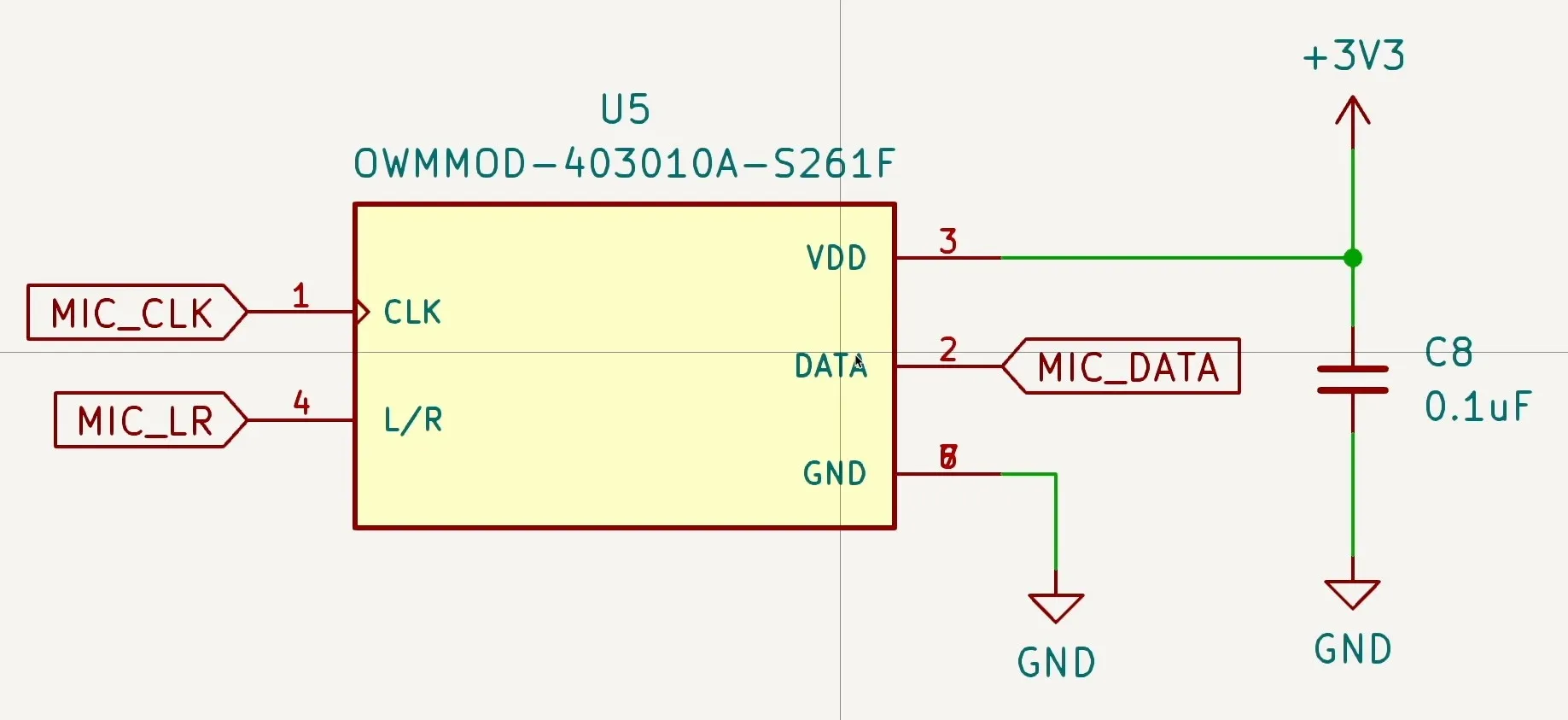
And here’s the datasheet to confirm I haven’t made a silly error:
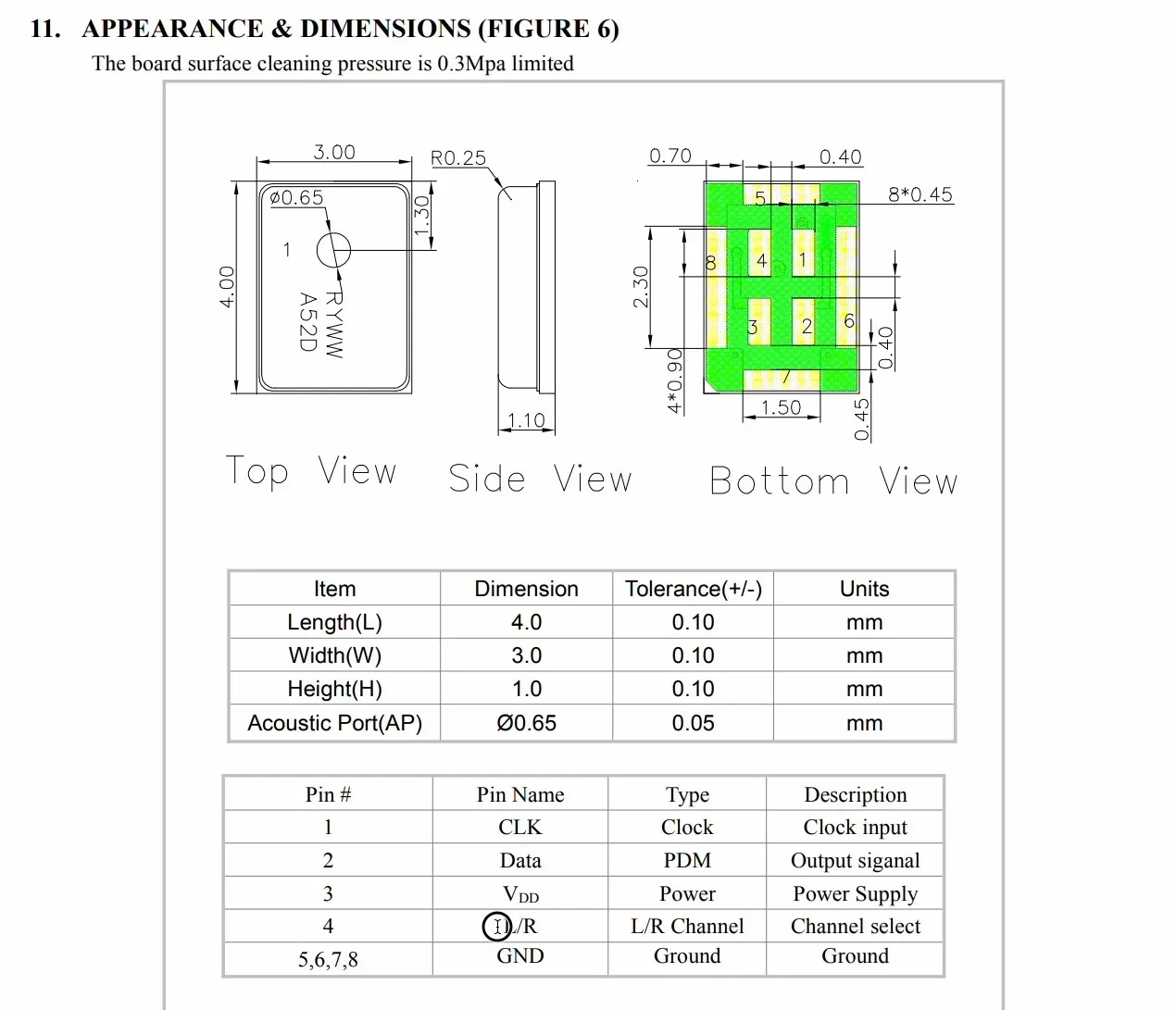
You’re probably thinking - yes yes, all very interesting, that’s the standard pins for I2S - CLK, Data, L/R and power.
Well, what confused me was the I2S code in the latest ESP-IDF version.
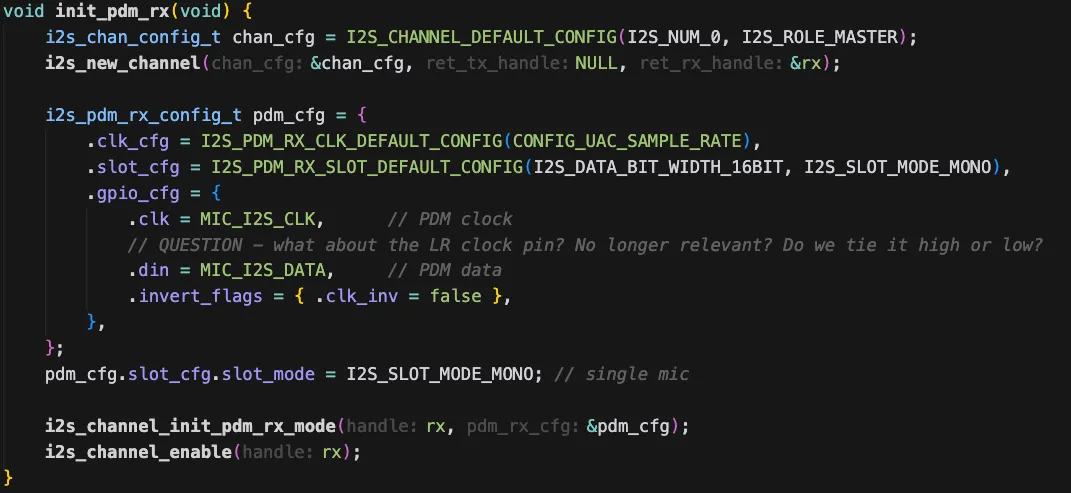
There is no way to specify the LR pin! The gpio_cfg structure for PDM microphones doesn’t have an entry for it.
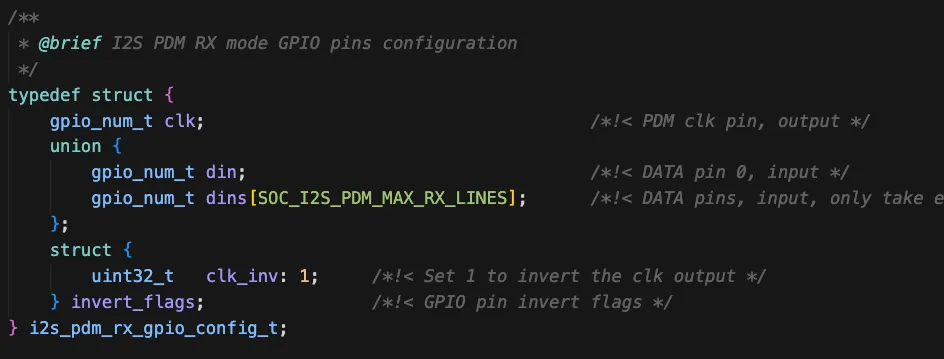
For PCM microphones the LR clock is pretty important - particularly if you want to have a stereo signal.
Looking back at one of my ancient YouTube videos you can see the waveforms:
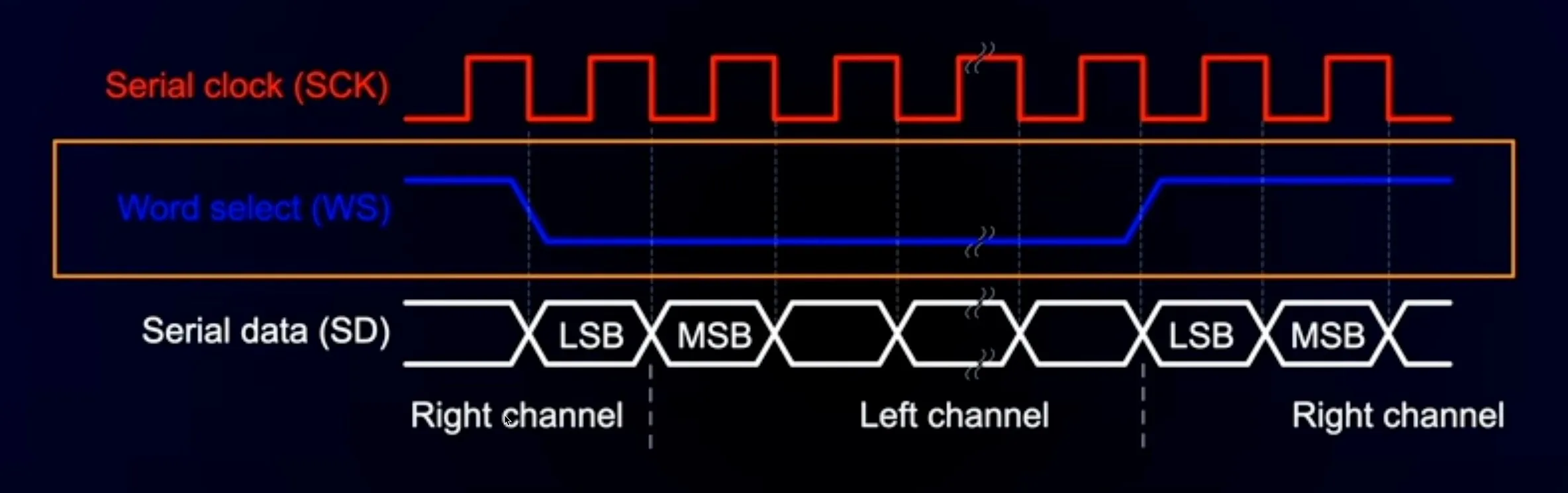
And if we look at the structure used to initialise I2S for PCM the pin is definitely there.

So, what’s going on with PDM microphones? What are we supposed to do with the LR pin?
A quick question to the ESP32 forums set me straight with a very friendly - look again at the data sheet for your microphone.
And looking a bit more closely we find these example IO timing diagrams:
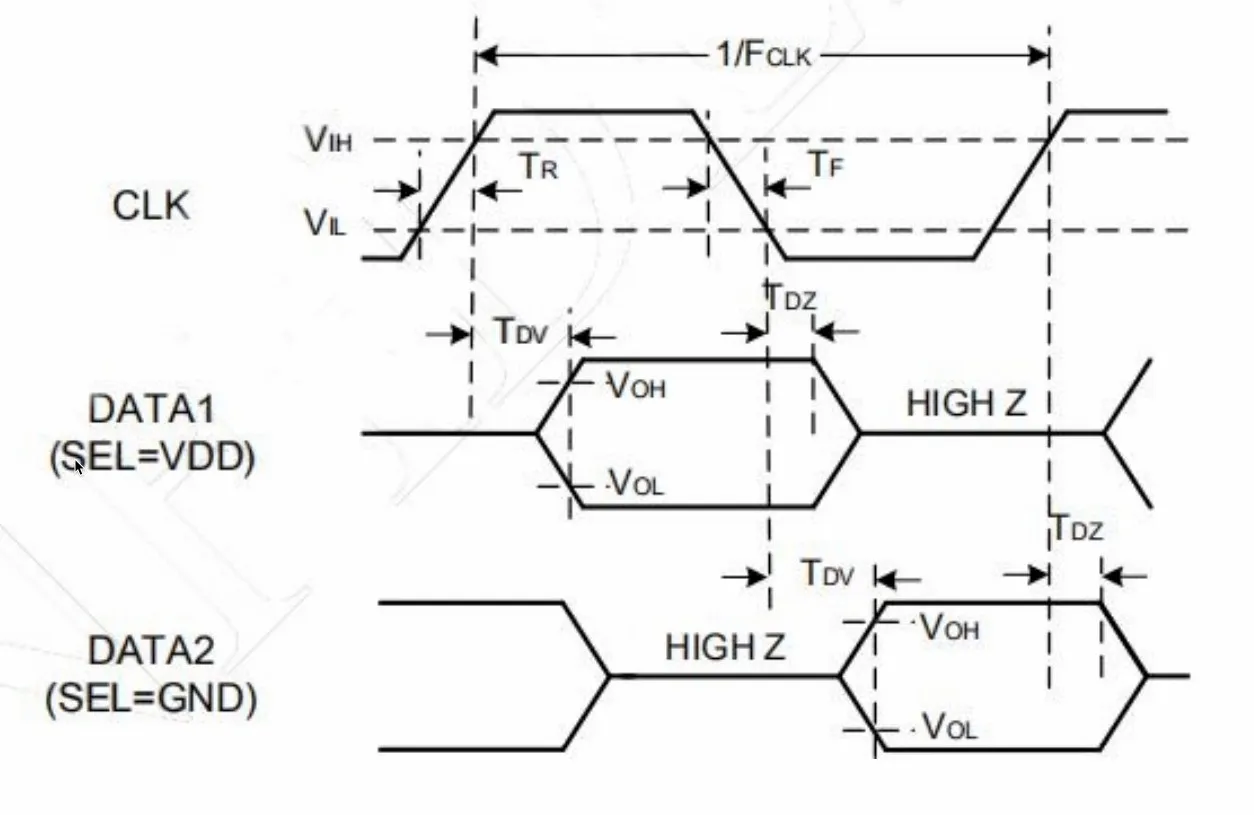
If the LR pin is held high - the data is valid for the high to low transition of the clock and then the data pin goes high impedance.
If the LR pin is held low - the data is valid for the low to high transition of the clock and then the data pin goes low impedance.
This means that if you want to have two microphones (for stereo recording) you just need to tie one high and one low - and they will happily coexist on the same data line.

I’d recently purchased some fancy probes, so I decided to check this out.

These are really nice - they have a pogo needle on the end so you can get into very small places on the PCB. They are also hands free. Pretty cool - you can pick up you own set here (affiliate link!).


I monkeyed around with the code a bit and changed the data pin so that it had a pull down resistor and made it so I could toggle the LR pin between high and low.
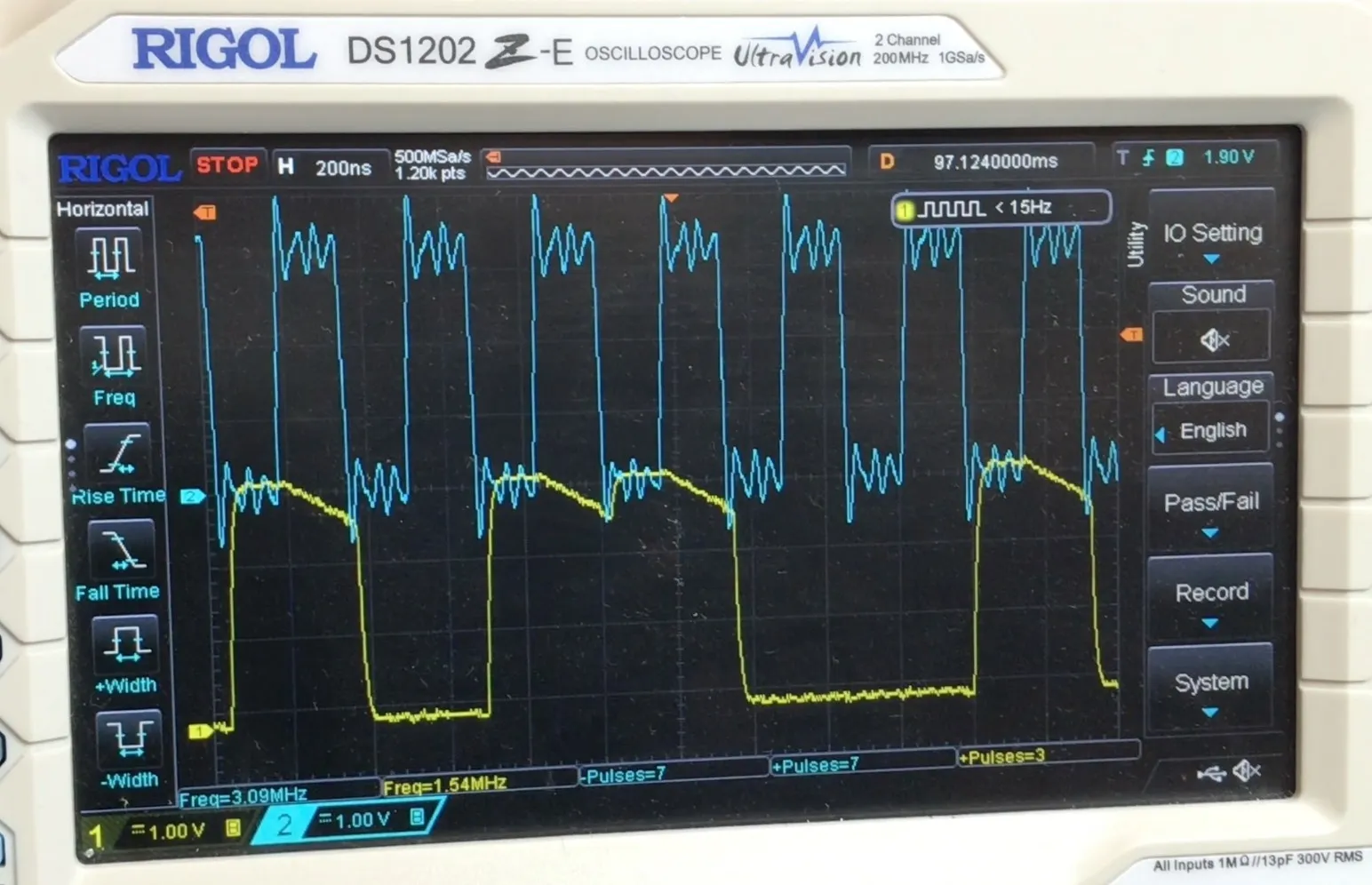
Here’s what we see when the LR pin is held low:
And here’s what we see when the LR pin is held high:
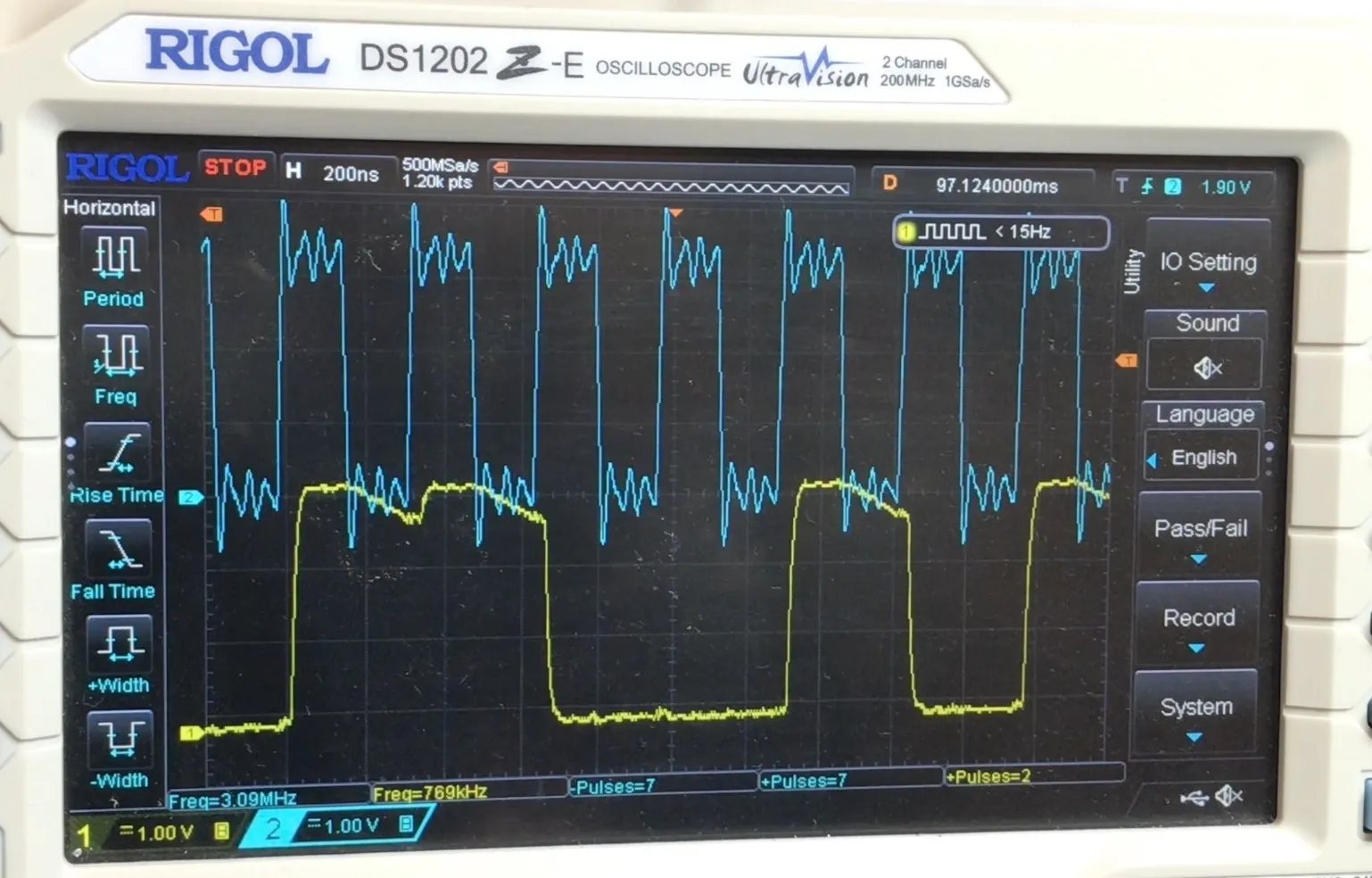
Hopefully you can see the difference. With the LR pin low, the signal starts to decay when the clock is high, and with the LR pin high, the signal starts to decay when the clock is low.
We’ve only got the internal pull down resistor pulling it down so it doesn’t go to zero that quickly. If there was another microphone driving the pin then it would fall straight to zero if needed.
So, all in all pretty interesting. One thing that is quite useful is that we don’t need to connect the LR pin to a GPIO - we can save a pin in our next design!